
Shower Enclosure Installation Cost Calculator | Get a Detailed Cost Breakdown
Shower Enclosure Installation Cost Calculator
Instant Custom Glass Shower Pricing Estimate
Estimated Investment
How to Use This Calculator Step by Step Process
Step 1: Choose Your Location and Project Type
Select California and your region (or statewide average). If the project is a condo or commercial property, choose the closest match so the estimate includes typical access and compliance allowances.
Step 2: Enter the Shower Size
Measure the opening width and height in inches or feet (depending on your calculator input). If you have multiple glass panels, measure each section or enter overall length and height.
Tip: If you’re unsure, start with approximate values. You can refine the estimate once you have exact measurements.
Step 3: Select Enclosure Style
Choose the enclosure type that matches your project: frameless, semi-frameless, framed, sliding, corner entry, or custom configuration. This selection adjusts hardware and labor complexity.
Step 4: Pick Glass Type and Thickness
Choose tempered glass and thickness (3/8, 1/2, etc.). If you want ultra-clear, frosted, or coated glass, select those options. This step strongly influences the base material cost.
Step 5: Add Door and Hardware Options
Select the door type (hinged or sliding) and hardware grade/finish. Add extras like towel bars or upgraded handles if your calculator includes them.
Step 6: Add Site Condition Factors
Be honest about conditions:
- Are walls plumb?
- Is tile new, fragile, or uneven?
- Are you removing an existing enclosure?
- Do you need patching or repainting?
Including these is the difference between a “best-case” number and a realistic budget.
Step 7: Choose Optional Add-ons
Select coating, notches, steam sealing upgrades, or return panels if needed. These can improve performance and maintenance, but they affect total cost.
Step 8: Review the Itemized Breakdown
Your calculator should show:
- Glass/materials
- Hardware
- Labor
- Hidden consumables (sealants, anchors, setting blocks)
- Disposal/demo (if selected)
- Contingency allowance
If you see a line item you don’t understand, treat it as a discussion point when requesting quotes—this helps align your contractor scope.
Step 9: Export or Save (Optional)
If your calculator offers PDF export, generate a PDF and share it with installers when requesting pricing. A clear scope reduces change orders.
Want to Work with the Best Shower Glass Installation Service in California?
Once you’ve calculated your project estimate, the next step is partnering with the best shower glass installation service to bring your vision to life. At Pro Glass & Mirror Inc., we don’t just provide numbers — we deliver flawless results.
Our licensed team handles every detail, from measuring and custom fabrication to waterproof sealing and premium hardware installation. Whether you’re upgrading a standard bathroom or designing a luxury frameless enclosure, our specialists ensure each project meets California safety codes, design precision, and aesthetic standards.
If you’re ready to move from planning to installation, connect with our experts today to discuss your layout, glass type, and finishing options. Call us at- 530-278-6935
Main Cost Factors Included in the Calculator
Glass Type and Thickness
Glass is often the largest line item. Most premium installations use tempered safety glass, and thicker glass generally increases both material cost and labor (heavier panels take longer to handle, align, and secure).
- 3/8 inch tempered glass shower enclosure cost is common for many installations.
- 1/2 inch frameless shower door installation cost is often higher but delivers a heavier, premium feel.
- Frosted/etched, low-iron “ultra clear,” and specialty coatings can add cost.
Layout and Door Style
Your enclosure style changes hardware count and installation difficulty.
- Single swing door (hinged)
- Sliding door (bypass/slider)
- Neo-angle or corner entry
- Fixed panel + door combinations
- Steam shower enclosure (often adds sealing and glass requirements)
If you’re comparing sliding shower door installation cost in California versus hinged frameless, the calculator typically shows sliders can increase hardware complexity (tracks/rollers) while hinged systems can require more precise wall anchoring and alignment.
Hardware Grade and Finish
Hardware isn’t just visual—it affects durability and corrosion resistance.
- Economy vs premium hinges, clamps, handles
- Towel bars, knob upgrades, soft-close hardware (where applicable)
- Finishes like chrome, brushed nickel, matte black, brass, or custom powder coat
A common long-tail search is matte black shower door hardware installed cost, and that often runs higher than standard finishes.
Site Conditions and Prep Work
This is where “hidden” costs appear. The best calculators include allowances for:
- Out-of-plumb walls (more shimming/scribing)
- Uneven curbs or floors
- Tile condition (weak tile can crack during drilling)
- Waterproofing tie-in needs
- Removal of an existing shower door or enclosure
These factors heavily influence shower door replacement with installation cost because demolition and patching frequently become part of the scope.
Labor, Access, and Scheduling
In California, labor and scheduling constraints can push costs up, especially for:
- Multi-story access or tight stairwells
- Condo/HOA rules and elevator reservations
- Limited delivery windows
- After-hours or weekend work
These inputs help answer queries like how much does shower enclosure installation cost in Los Angeles or the Bay Area, where labor is often higher.
Add-ons and Optional Upgrades
Common upgrades included in many calculators:
- Protective glass coatings (easy-clean)
- Custom notches/cutouts (for benches, shelves, niches)
- Return panels or transom panels
- Steam kit sealing upgrades
- Upgraded silicone/sealant packages
These additions can change custom frameless glass shower enclosure installation cost significantly.
Why a Shower Enclosure Estimate Varies So Much
No two showers install the same way. Even if two bathrooms look similar, small differences—like out-of-plumb walls, tile condition, curb height, or access restrictions—can change labor time and materials. That’s why a good estimator focuses on what actually drives cost:
- Size (width/height and total glass area)
- Layout type (frameless, semi-frameless, framed, sliding)
- Glass type and thickness
- Hardware and finish level
- Site conditions (level/plumb walls, tile and curb condition)
- Add-ons (coatings, notches, hinges, handles)
- Hidden materials (sealants, anchors, shims, setting blocks)
- California labor and compliance allowances
If you’re searching for a frameless shower enclosure installation cost in California or trying to compare a custom glass shower enclosure installation price near me, the calculator is designed to translate those choices into a clean, itemized estimate.
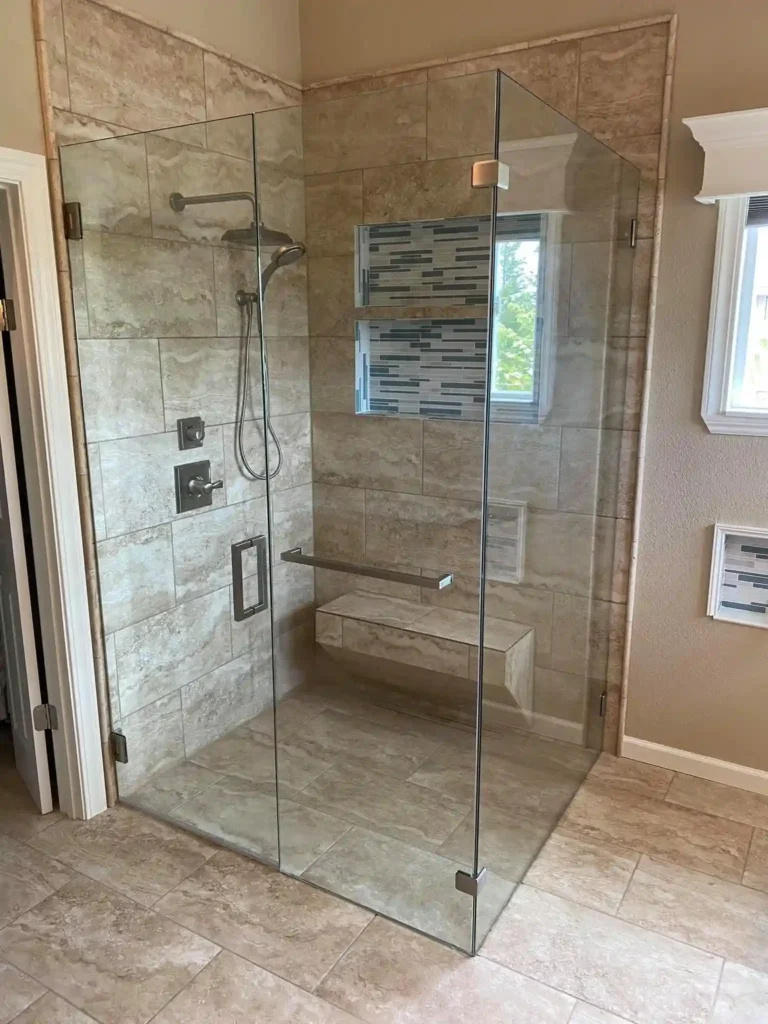
Cost Calculator Tips for Best Accuracy
- Use real measurements after tile is complete (final opening sizes).
- If you’re doing a remodel, include at least a small contingency.
- For condos/high-rises, include access/logistics and scheduling premiums.
- If you want a premium look, price 1/2-inch glass and higher-grade hardware.
What to Do Next
- Glass thickness and type (tempered/low-iron/frosted)
- Hardware brand/grade and finish
- Waterproofing and sealing approach
- Scope of demo/disposal and patching
- Lead times and warranty